ProGeeks - eCommerce Courses
I joined ProGeeks as part of their teaching and course-development team, with a scope that went well beyond the classroom.
My main contribution was designing and building the full course systems from scratch - full-stack applications, structured lesson architecture, presentations, solved code, visual explanations, and practical exercises - everything needed to teach modern web development through real projects rather than isolated theory.

Full-Stack Course Design
I designed and built a complete Angular course, a complete React course, and a foundational course covering HTML, CSS, and JavaScript - each structured around a real, deployable full-stack application.
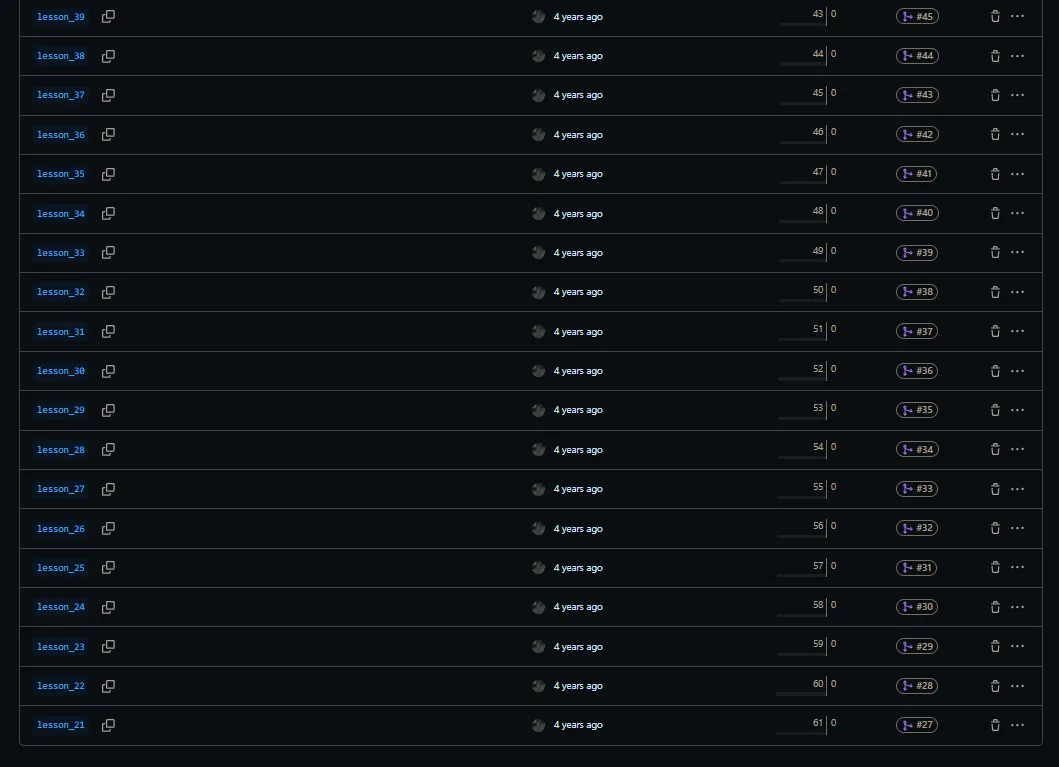
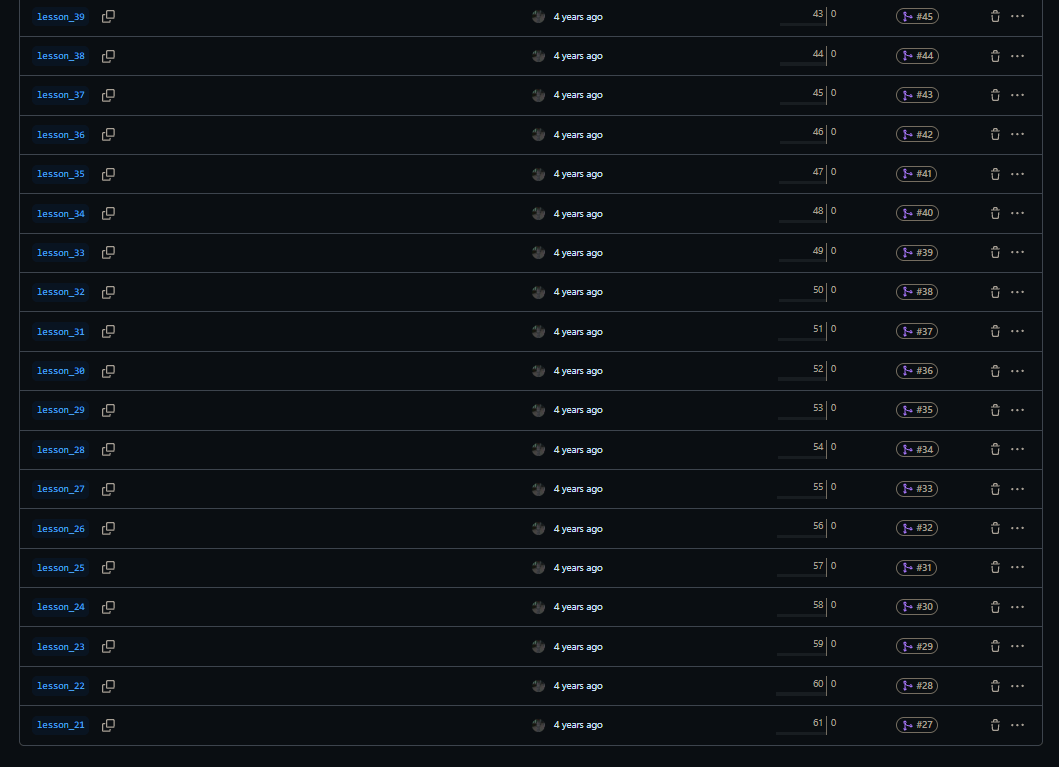
Every course contained around 40 lessons, and each lesson was organized as its own Git branch. This meant every branch was a stable, working snapshot of the project at a specific stage - with matching source code, screenshots, presentations, and explanations.
Rather than handing students a finished project to reverse-engineer, this structure let them watch the application grow feature by feature, and understand exactly what changed at every step.
Branch-Based Architecture
The branch structure was a core part of the course design - not just an organizational detail, but a deliberate pedagogical choice.
Each branch represented one lesson stage, moving through the full lifecycle of a real application: project setup, component architecture, routing, layout, forms, validation, authentication, protected routes, admin flows, API integration, product CRUD, search, filtering, sorting, image upload, reviews, order history, and deployment preparation.
This gave students a clear mental model of how production applications are built incrementally - and gave teachers a reliable, versioned system to teach from.
Project Example: MERN Webstore
The centerpiece of the courses was a full MERN stack e-commerce webstore - designed and built entirely for teaching purposes, but modeled after the structure and complexity of real production systems.
The project covered the full stack: a React or Angular frontend communicating with a Node/Express backend, connected to MongoDB, with a complete UI designed to feel like a real online store.
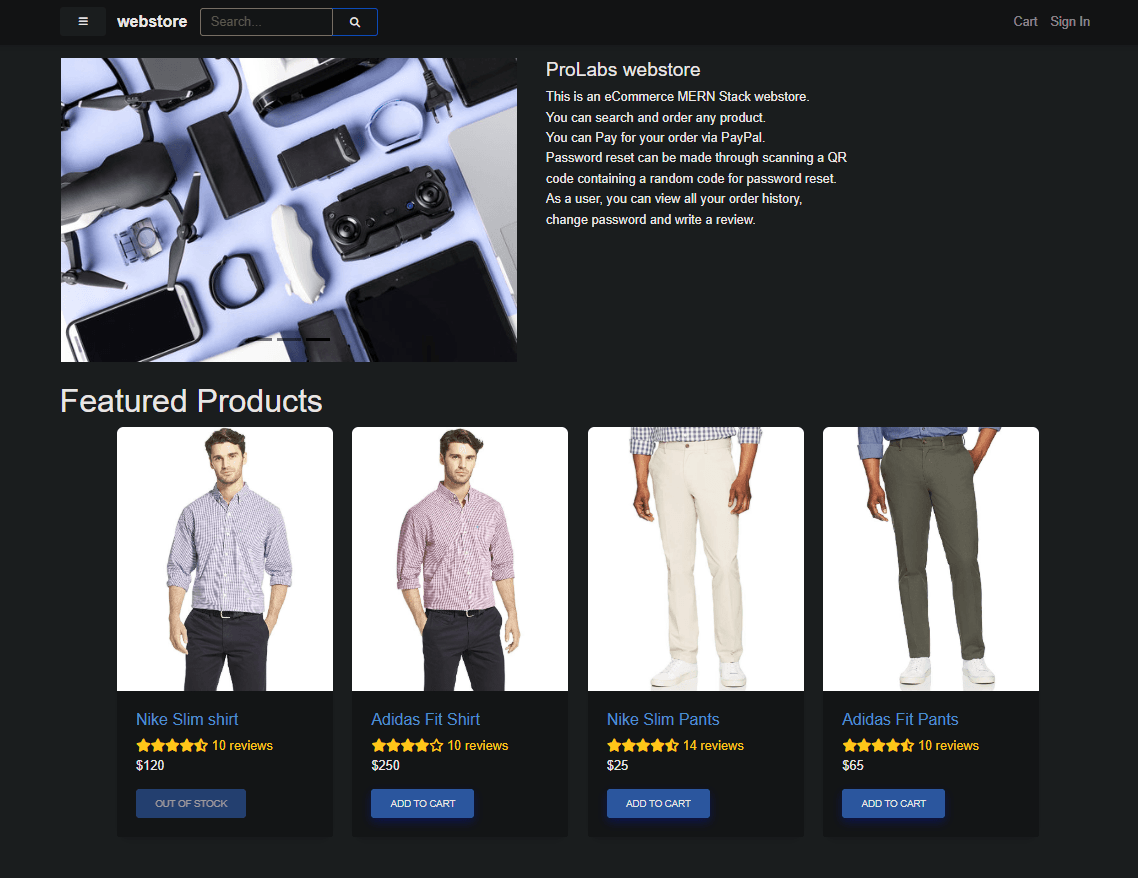
The homepage established the core UI and data architecture - navigation, search, featured products, product cards with images, prices, ratings, stock status, and add-to-cart interactions. This section was the foundation for teaching reusable component design and dynamic data rendering.
Product Details Page
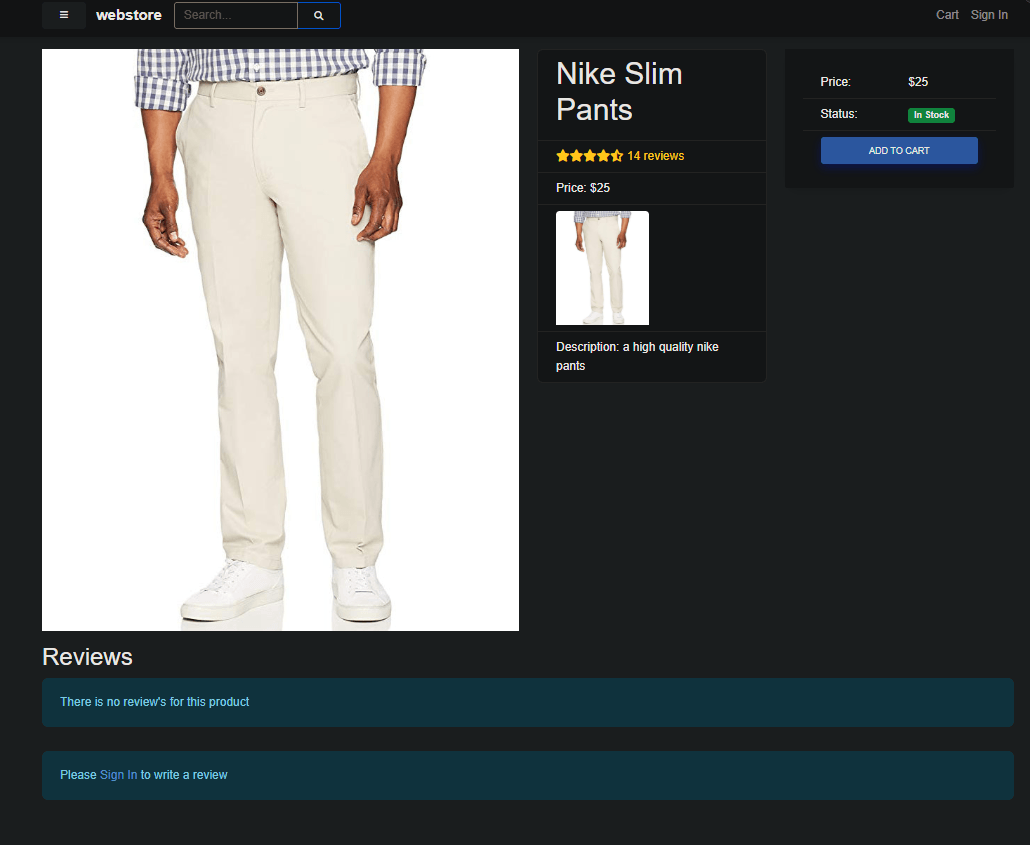
The product details page taught how a single-resource view works end to end - fetching a product by ID or slug, rendering its image, price, stock status, and description, handling cart logic, and showing different UI states depending on whether the user was signed in.
The reviews section introduced conditional rendering in a practical context: unauthenticated users were prompted to sign in before posting a review, making auth-aware UI feel concrete rather than abstract.
Search, Sorting and Filtering
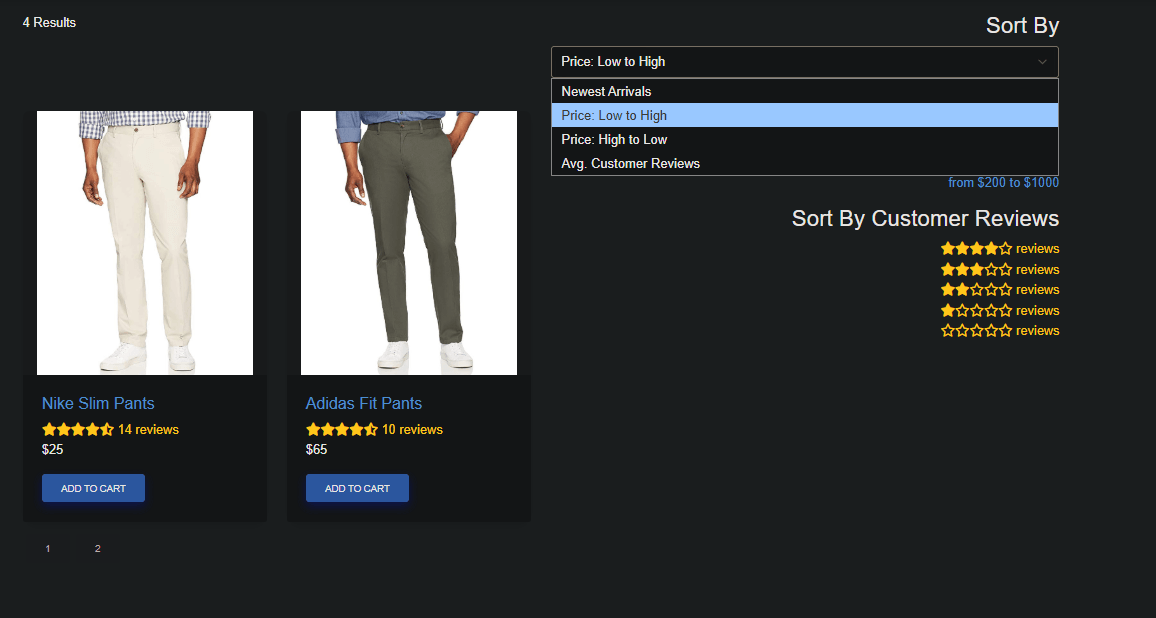
The search and browse experience was one of the more technically involved parts of the project. It covered keyword search, pagination, multiple sort modes (newest, price low-to-high, price high-to-low, average rating), and filters by price range and rating.
This section was particularly effective for teaching how frontend state, URL query parameters, and backend query logic work together as a single system.
Admin Dashboard and Role-Based UI
A full admin area was built alongside the customer-facing application, demonstrating how the same codebase serves two completely different user experiences depending on role.
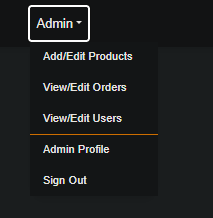
Admin users had access to protected management pages - products, orders, users, and profile - while regular users saw only customer-relevant options. This was used to teach protected routing, authorization checks, and role-based UI rendering in a way that felt grounded in how real applications work.
Product Management
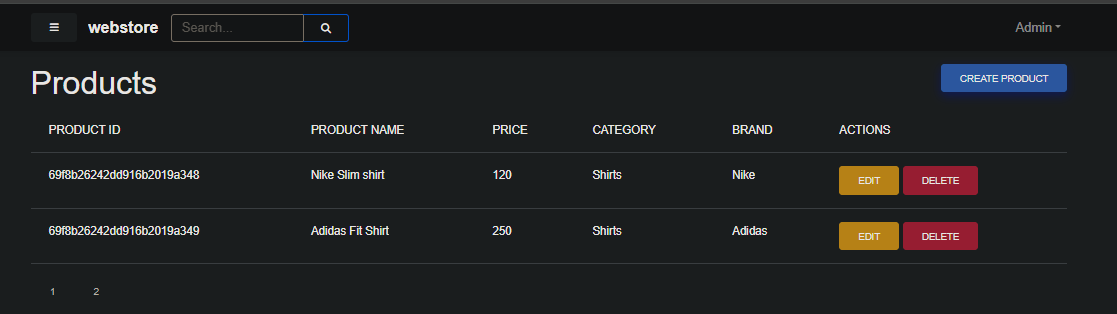
The product management table gave admins a full CRUD interface - viewing all products, editing individual records, deleting entries, creating new ones, and navigating across pages. Building this as a teaching example made CRUD operations feel purposeful rather than mechanical.
Edit Product Form
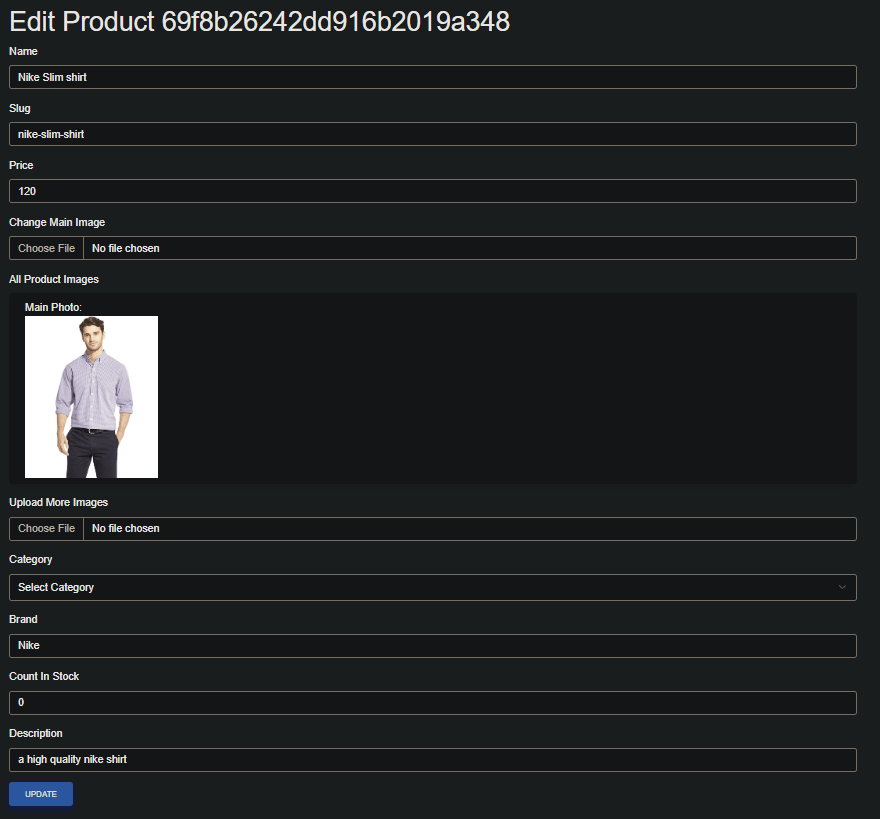
The edit product form was one of the most complete admin views in the project. It handled a wide surface area: text fields, slug generation, pricing, category and brand selection, image upload (both main and additional images), stock count, and a description editor - all wired to a backend update.
This section was effective for teaching the full cycle of form state management, controlled inputs, file upload handling, validation, and the distinction between what lives in the frontend and what gets persisted to the database.
Account Flows
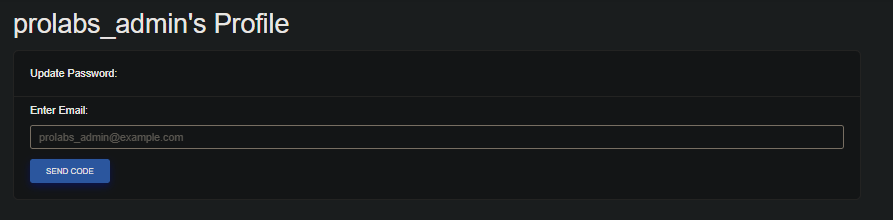
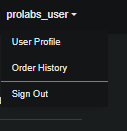
Both the admin and user sides of the application included account management flows. The admin profile featured a password reset flow using email-based codes, and the user menu surfaced profile and order history. These sections were used to explain real-world account patterns - form submission, server-side responses, user feedback, and conditional UI based on authentication state.
Order History

The order history page displayed user-specific data - order ID, date, total, paid status, delivered status, and actions - fetched securely from the backend. This was one of the clearer examples of how a full-stack application separates public-facing content from private, authenticated user data.
Technical Scope
The courses covered a wide range of full-stack concepts through the project’s features, including component architecture, routing, layout systems, props and state, forms and validation, authentication and authorization, protected and admin routes, product CRUD, search, filtering, sorting, pagination, reviews, cart behavior, order history, password reset, image upload, REST API communication, and deployment-ready project structure.
Why It Mattered
This wasn’t a demo project. It was a complete teaching system - designed to make every feature serve a learning purpose, every branch represent a clear step, and every lesson connect a programming concept to something students could see and interact with.
The result was courses that gave students genuine experience building full-stack applications from the ground up, and a curriculum that was maintainable, scalable, and easy to teach from.
Summary
At ProGeeks I designed and built full-stack Angular and React courses from scratch - 40 lessons each, organized as Git branches, and supported with solved code, presentations, screenshots, and video explanations.
The course projects were real full-stack applications covering the complete range of modern web development: component design, backend integration, admin dashboards, authentication flows, product management, user accounts, and data-driven UI. This work required both strong development skills across the full stack and the ability to break down complex systems into something students could genuinely learn from.