Barby - Live Music Venue
Barby Tel Aviv is the largest and most business-critical production system I have built so far.
I joined an existing legacy platform that had been running for around 14 years, built on .NET and SQL. My first major task was implementing a new online ticketing system inside the old web application while keeping the existing operational flow stable.
After the successful rollout, I redesigned and rebuilt the entire public website from scratch, and expanded the platform into a full production system. I handled everything from the visual design and UI to the backend architecture and data layer. The new system uses MongoDB for new operational data while still supporting legacy SQL records going back to 2009.
Today, the platform supports around 50k-60k page views per day and around 600 orders per day / 20k orders per month. It is used by customers, ticket operators, venue managers, event managers, marketing teams, support staff, and management.
This was not a demo or a landing page. It became a real business-critical platform for ticket sales, show management, gift cards, CRM workflows, live analytics, barcode scanning, customer support, and internal back-office operations.
—
My Role
I owned large parts of the platform end to end, both the design and the technical implementation.
On the design and frontend side, my work included:
-
designing the full visual identity and UI of the new public website
-
creating the layout, typography, color system, and component design
-
designing responsive interfaces for show pages, ticket flows, account areas, and support
-
building all frontend UI components in React
-
designing the back-office interface for internal staff On the backend and systems side, my work included:
-
integrating a new ticketing system into the existing legacy .NET + SQL platform
-
designing a hybrid SQL + MongoDB data architecture
-
building the full ticket purchase flow from show selection to payment, PDF generation, and confirmation delivery
-
integrating payment providers (PayPlus, Tranzila, Google Pay)
-
implementing gift cards, secret ticket links, presales, sold-out states, waiting lists, and limited allocations
-
generating unique QR/barcode identifiers per ticket
-
building email and SMS confirmation delivery
-
building internal CRM, analytics, order management, and support tools
-
supporting barcode scanning and check-in for venue operations I worked directly with the CEO, COO, venue managers, event managers, and ticket operators. Many features were shaped by real staff workflows, customer support cases, and business rules from the venue.
Platform Overview
| Area | Purpose |
|---|---|
| Public website | Customers browse shows, buy tickets, access gift cards, manage orders, and contact support |
| Back office | Staff manage shows, tickets, customers, orders, gift cards, analytics, CRM workflows, and operations |
| Metric | Volume |
|---|---|
| Page views | ~50k-60k per day |
| Orders | ~600 per day / ~20k per month |
| Historical data | From 2009 onward |
| Legacy system | ~14 years old |
Screens and Flow
Homepage and Show Discovery
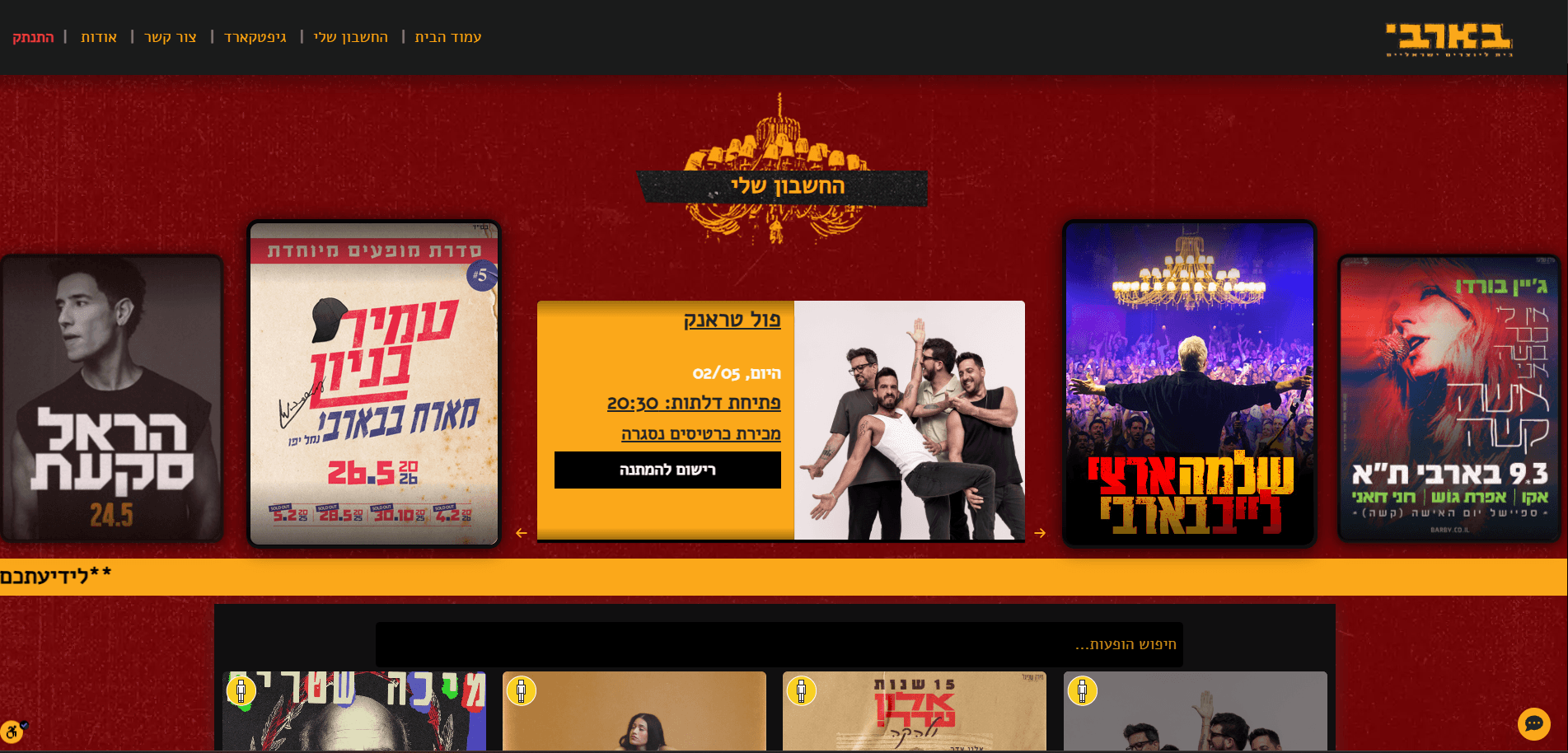
I designed the homepage around a visual-first experience: a large show carousel, featured events, search, and direct access to the account area, gift cards, and support. The layout needed to feel clean and immediate while being fully dynamic, driven by show data from the backend.
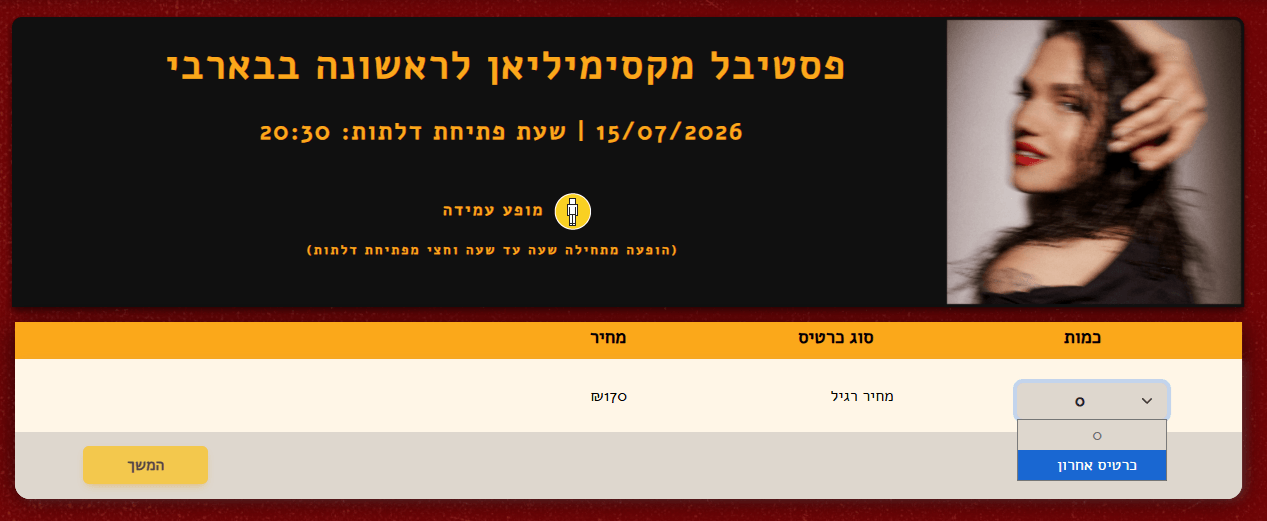
Quantity Banners
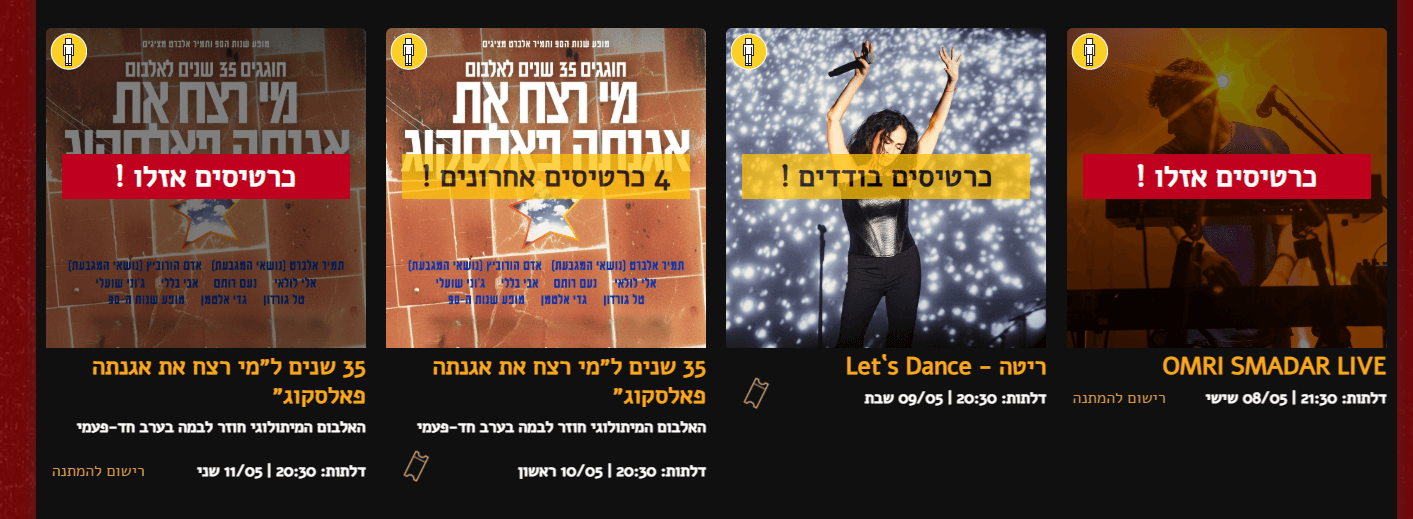
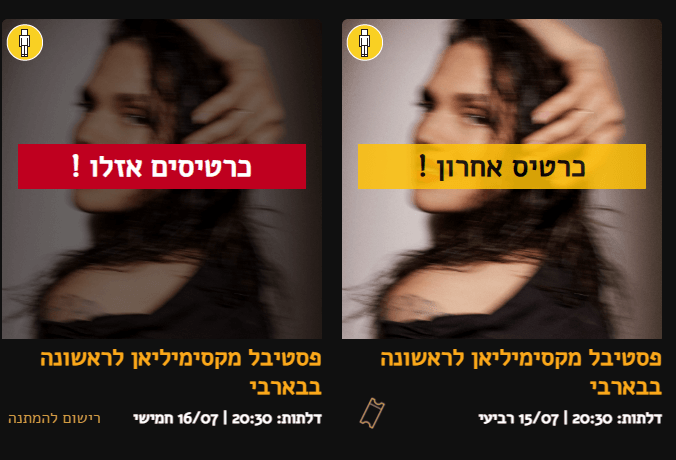
Each show card can display a dynamic urgency banner when ticket availability gets low. The threshold is controlled from the admin system, so staff can configure when the warning appears.
Show Page
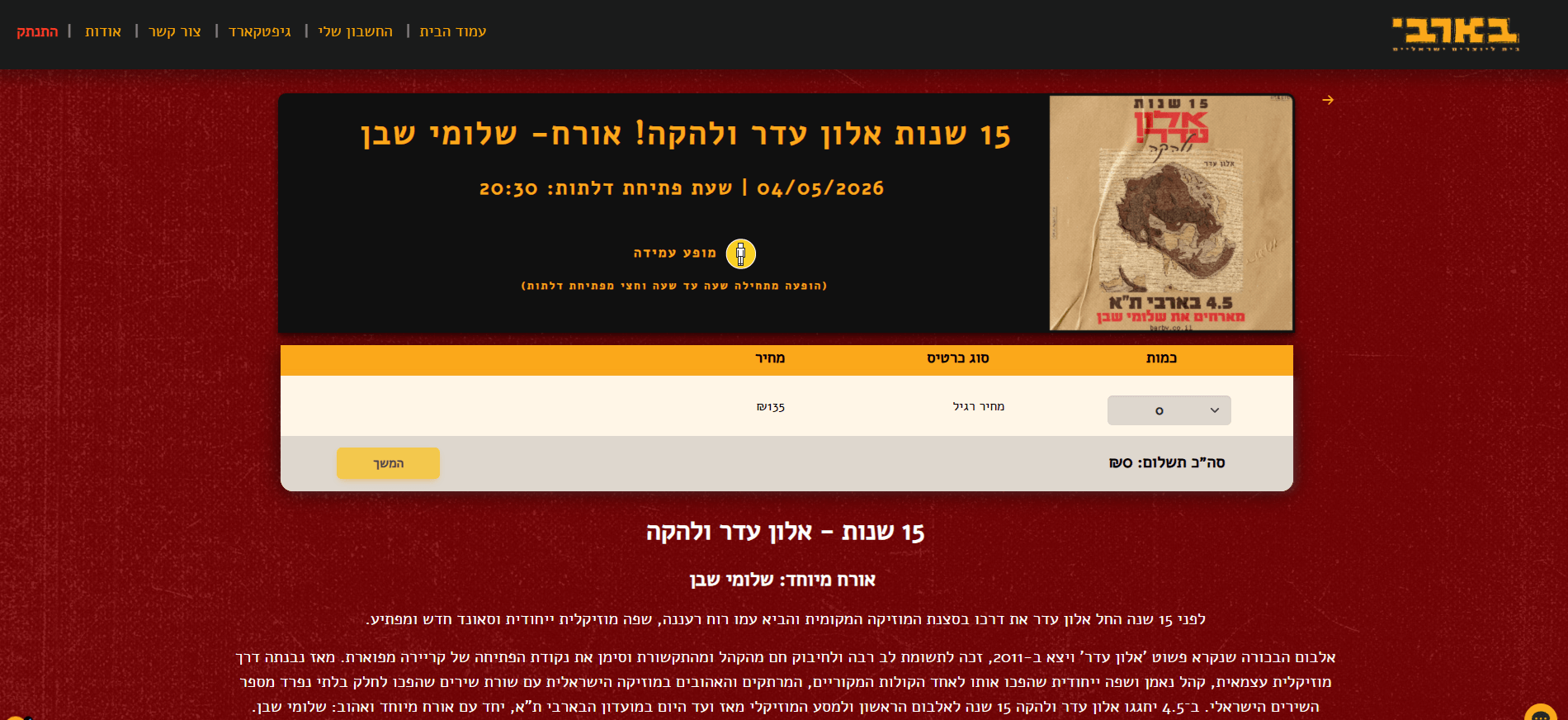
Each show page displays event information, image, date, door opening time, ticket type, price, quantity selector, and artist description.
The design challenge was keeping it simple for customers while the backend handles complex logic behind the scenes: different ticket states, presale phases, secret links, sold-out conditions, and waiting lists.
Ticket Purchase Form
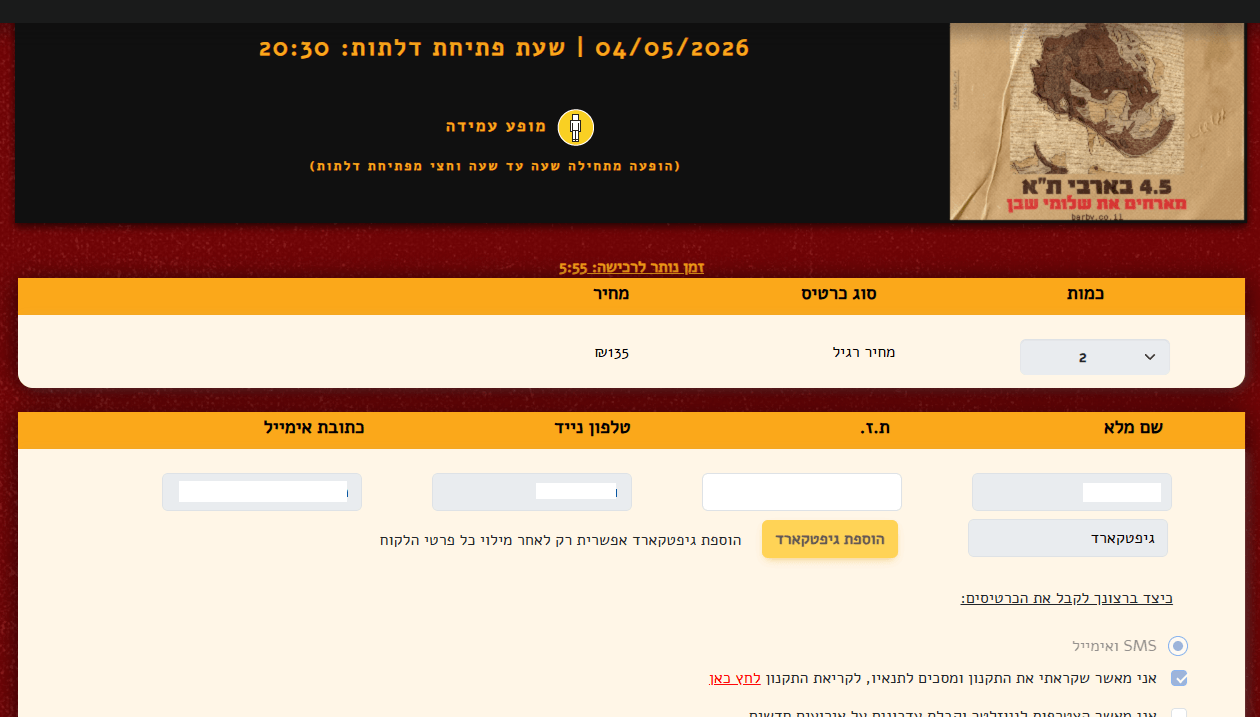
I designed the purchase form to feel straightforward despite the complexity underneath. It includes show details, a countdown timer, quantity selection, customer details, gift card options, and delivery preferences.
Behind the form, the system handles presales, ticket limits, secret links, gift card validation, and sold-out states, all without exposing that complexity to the customer.
Payment
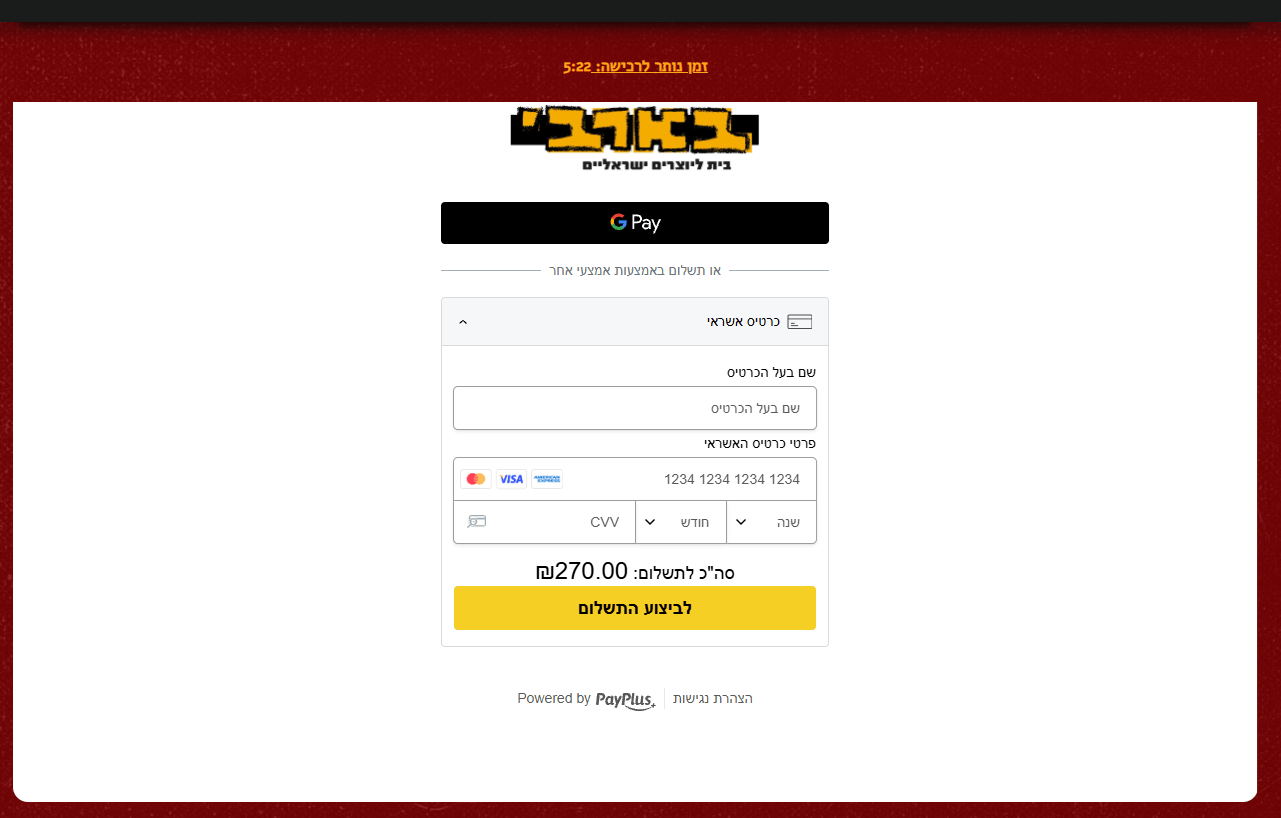
The checkout connects to payment providers (PayPlus, Tranzila) and supports Google Pay and credit card payments. Every successful payment triggers order creation, ticket generation, PDF creation, and email delivery in one reliable flow.
Order Confirmation
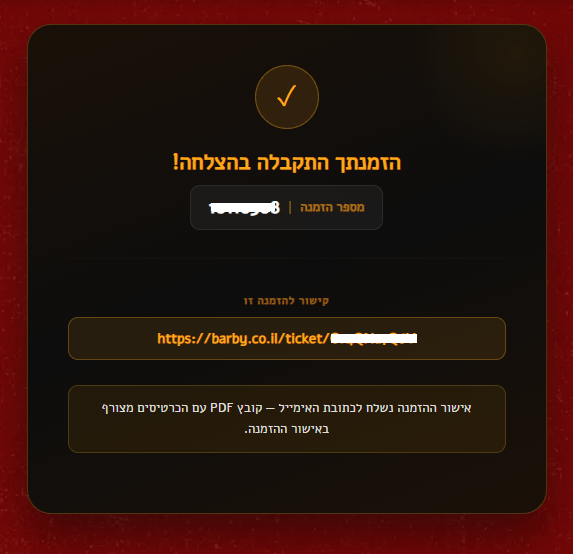
After payment, customers see a confirmation page with their order number and a personal ticket link. They also receive a confirmation email with the ticket PDF attached.
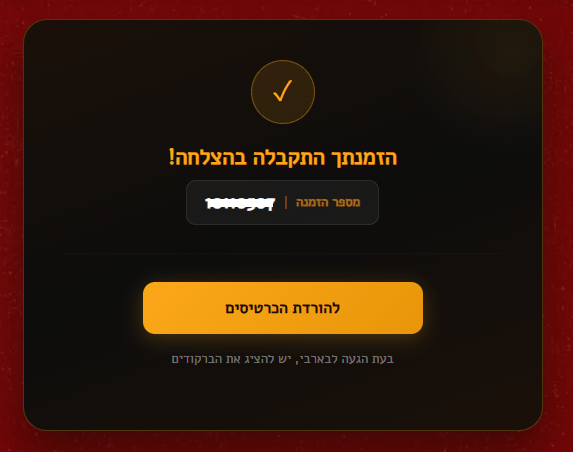
In some cases, a direct download button is also available so customers can grab their tickets immediately without waiting for the email.
Confirmation Email

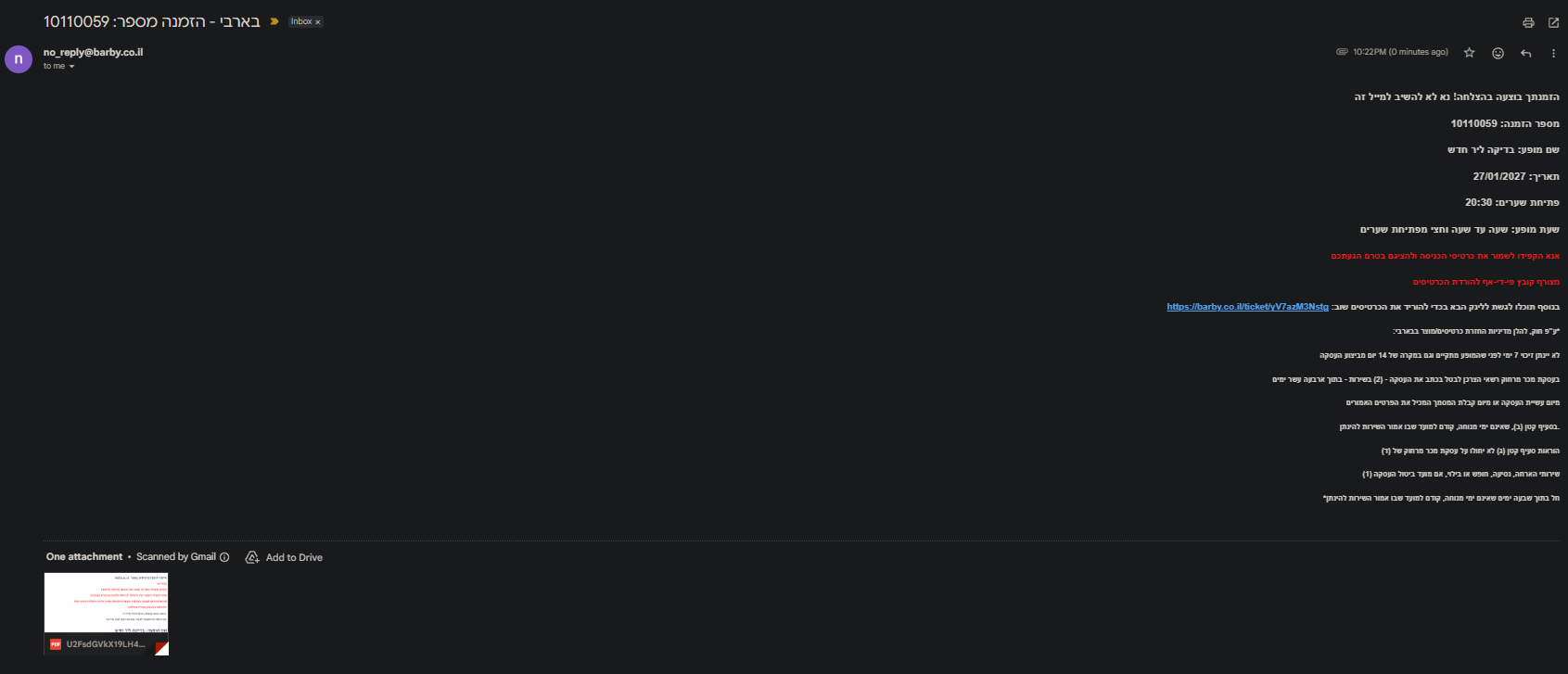
The confirmation email includes the order number, show details, door opening time, ticket instructions, and the PDF attachment. I designed the email template to be clear and scannable, since customers often pull it up on their phone at the venue entrance.
Waiting List
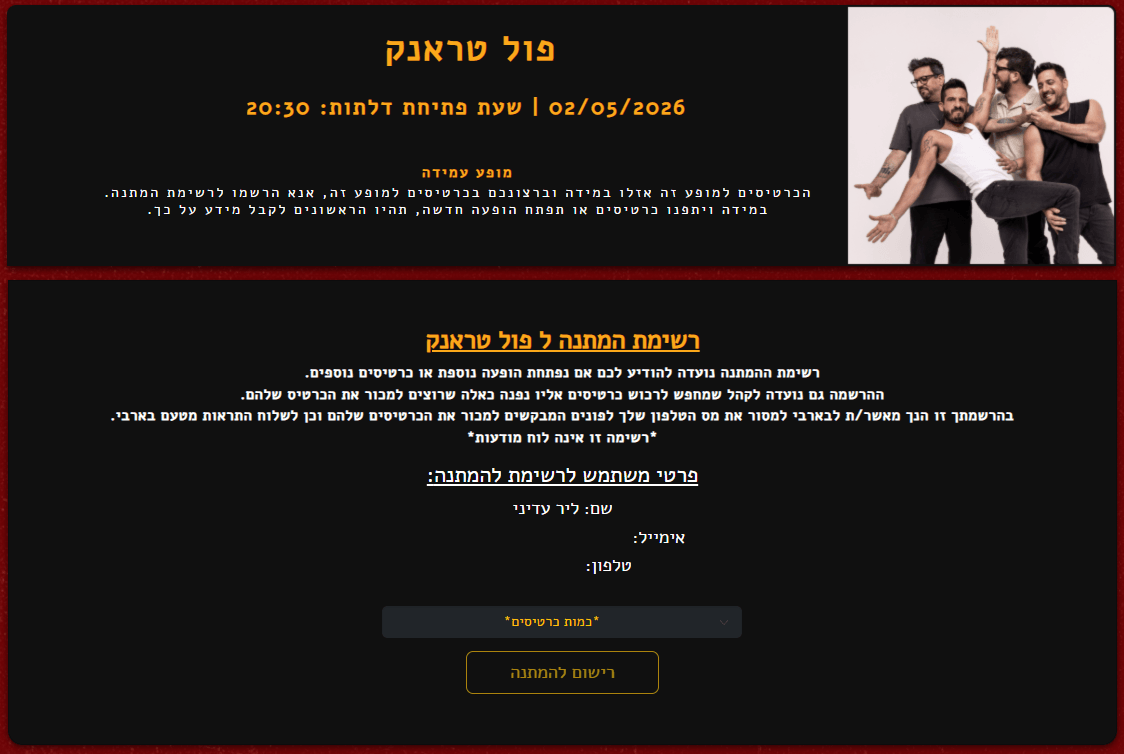
When a show is sold out, the page transitions to a waiting-list state where customers can register their interest.
Customer Account
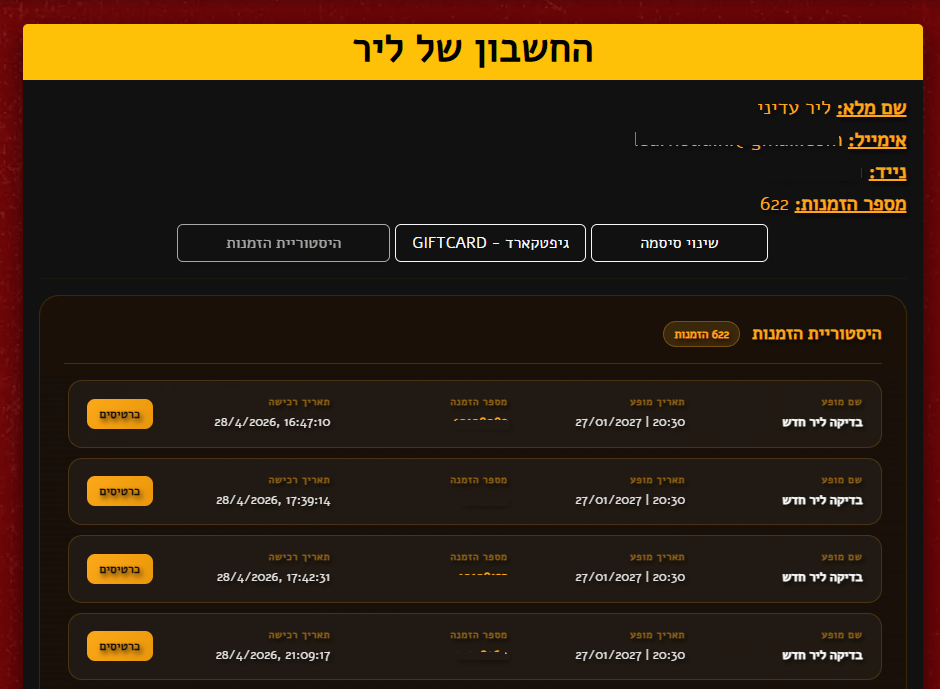
The account area gives customers access to their details, order history, gift cards, and password reset. This reduced support requests since customers can recover tickets and check orders on their own.
Chatbot
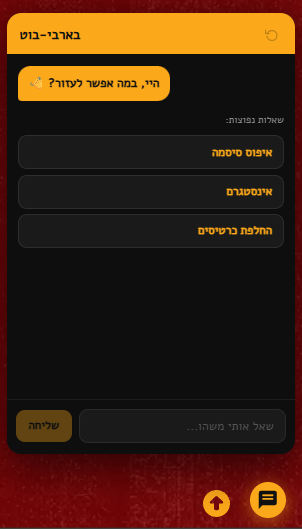
I designed and built a chatbot that handles common support questions: event lookup, order lookup, gift cards, payment methods, and venue FAQs. This reduced manual support pressure significantly.
Ticketing Logic
The ticketing system supports many real-world scenarios that go far beyond a simple “buy” button.
A show can have regular tickets, presale tickets, early-bird pricing, secret ticket links, limited allocations, waiting lists, and multiple sale phases running at the same time.
| Presale State | Regular Sale State | What the Customer Sees |
|---|---|---|
| Available | Not open yet | Presale tickets |
| Sold out | Available | Regular tickets |
| Sold out | Sold out | Waiting list |
| Sold out | Sold out | Purchase only through a valid secret link |
The customer always sees a simple result: buy, sold out, or waiting list. The backend decides which state to show based on the actual rules.
Secret Ticket Links
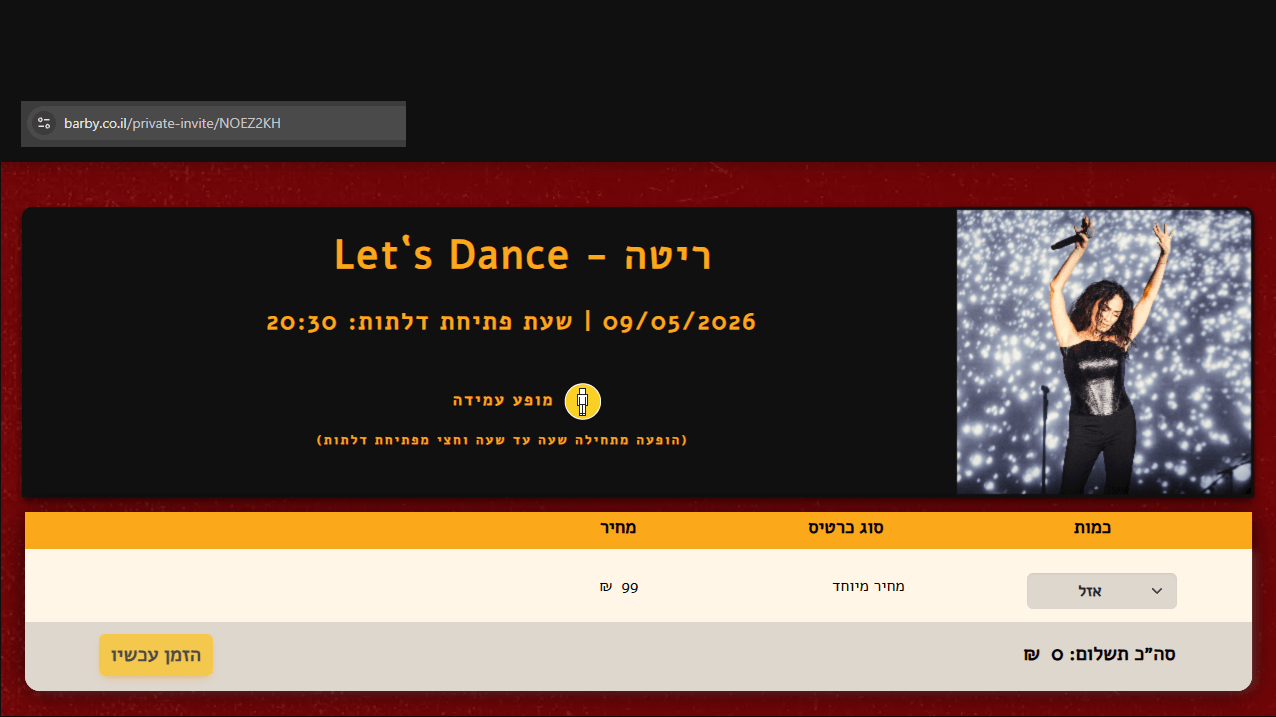
Secret links allow the team to sell tickets outside the normal public sale. A link can define a specific price, quantity, allocation, and access level. For example, the public page might show “sold out” while a secret link still allows a selected group to purchase.
Gift Card System
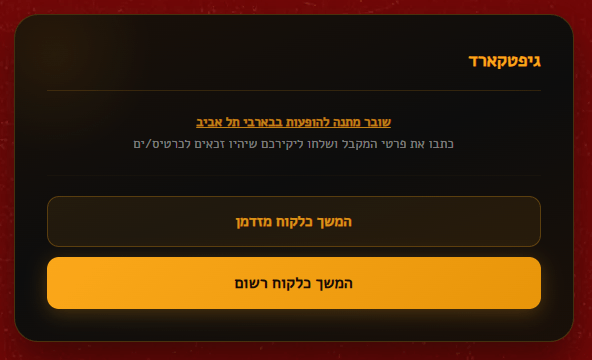
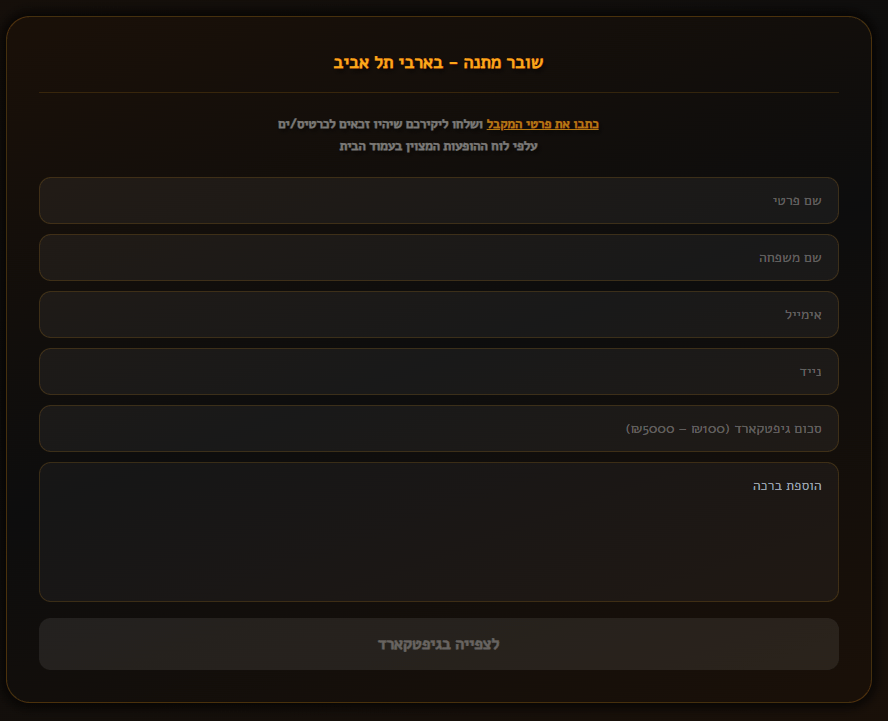
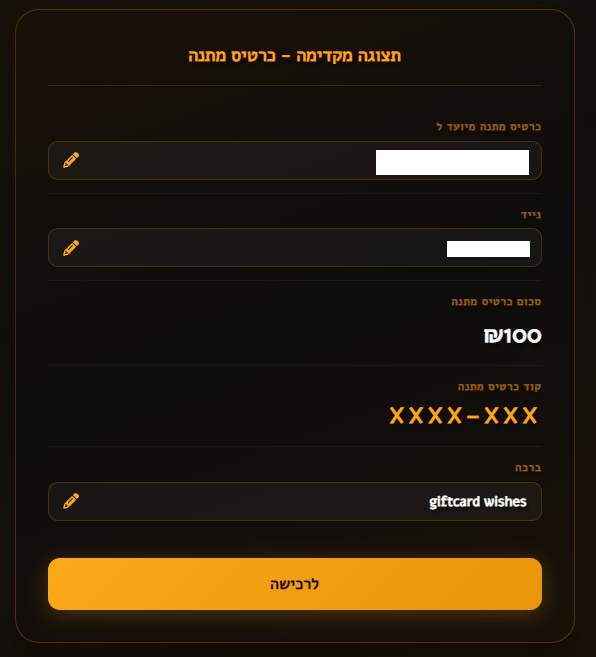
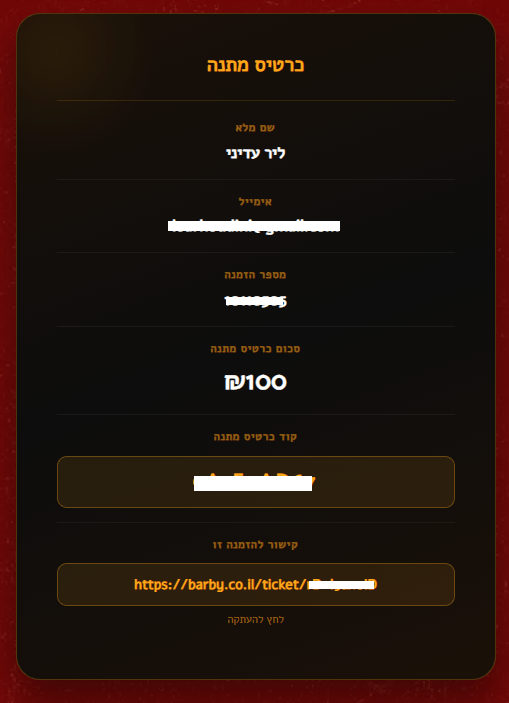
The gift card system lets users purchase cards for someone else. I designed the purchase flow, the delivery experience, and the backend logic for payment, creation, and redemption, all integrated into the existing order and account infrastructure.
Back Office and Internal Tools
The back office is the internal platform I designed and built for the Barby team to manage daily operations without needing direct database access.
It includes:
- show management (dates, prices, images, ticket states, presales, secret links)
- customer and order search (by order ID, name, email, phone, barcode, payment reference)
- gift card management
- CRM workflows
- CMS/event integrations
- barcode scanning and live check-in counters
- live sales analytics and reporting
- payment tracking
- historical data lookup back to 2009
- operational debugging tools The internal search tools were especially important. Staff can quickly look up any order or customer and handle real support questions like “I paid but didn’t get my ticket” or “can you resend my PDF?” without touching the database.
Main Challenges
Complex Ticket States
Ticket availability is not simple. A show can be open, closed, sold out, partially sold out, presale-only, secret-link-only, or waiting-list-only. The frontend needed to show the correct state clearly while the backend handled the real rules.
Payment Reliability
Every successful payment must result in the correct ticket, PDF, and confirmation. The system needed to handle duplicate callbacks, partial failures, and edge cases defensively.
Legacy Integration
The platform had to work with 14 years of historical data across different formats and systems. New workflows were built in MongoDB while older SQL records stayed searchable and usable in the back office.
Real Operational Use
This system is used by real staff under real pressure during live events. The back office had to support practical daily work: fixing issues, finding orders fast, checking payments, resending tickets, and monitoring live sales.
Why This Project Matters
This project shows more than the ability to build features.
It shows that I can take ownership of a full product, from the visual design and user experience through to the backend architecture and data layer. I joined an aging legacy system, modernized it into a production platform that handles thousands of daily transactions, and designed every customer-facing and staff-facing interface along the way.
The platform connects customer flows, internal operations, payment systems, ticketing logic, historical data, barcode scanning, CRM workflows, and business analytics into one working system that people depend on every day.