Overview
Make your custom hoodie mod without a texture editor or any config editing. Drop in two logos, click one button, and the tool bakes the PAA textures, config.cpp, and types.xml, ready to pack and publish.
Please note: This is an open source project made for anyone to use, but please respect my time and effort and keep the small description ”- Mod by BeatrixKiddo”, you can write there whatever you want, but would be nice of you if you leave my small note, Thank you.
this is not a server/client side mod. you just need to subscribe to the mod, open up mod folder location, inside @Custom_Hoodie_Maker go to the README inside the folder Custom_Hoodie_Maker
Quick start
Put your two transparent logos here: logos\back.png logos\front.png Run Custom_Hoodie_Maker.bat. Click Bake With Saved Placement. Pack the generated folder (see Packing below). The generated folder is named: Yourname_Custom_Hoodie_Mod\ (change this if you want, it becomes the PBO name)
Changing the logo placement
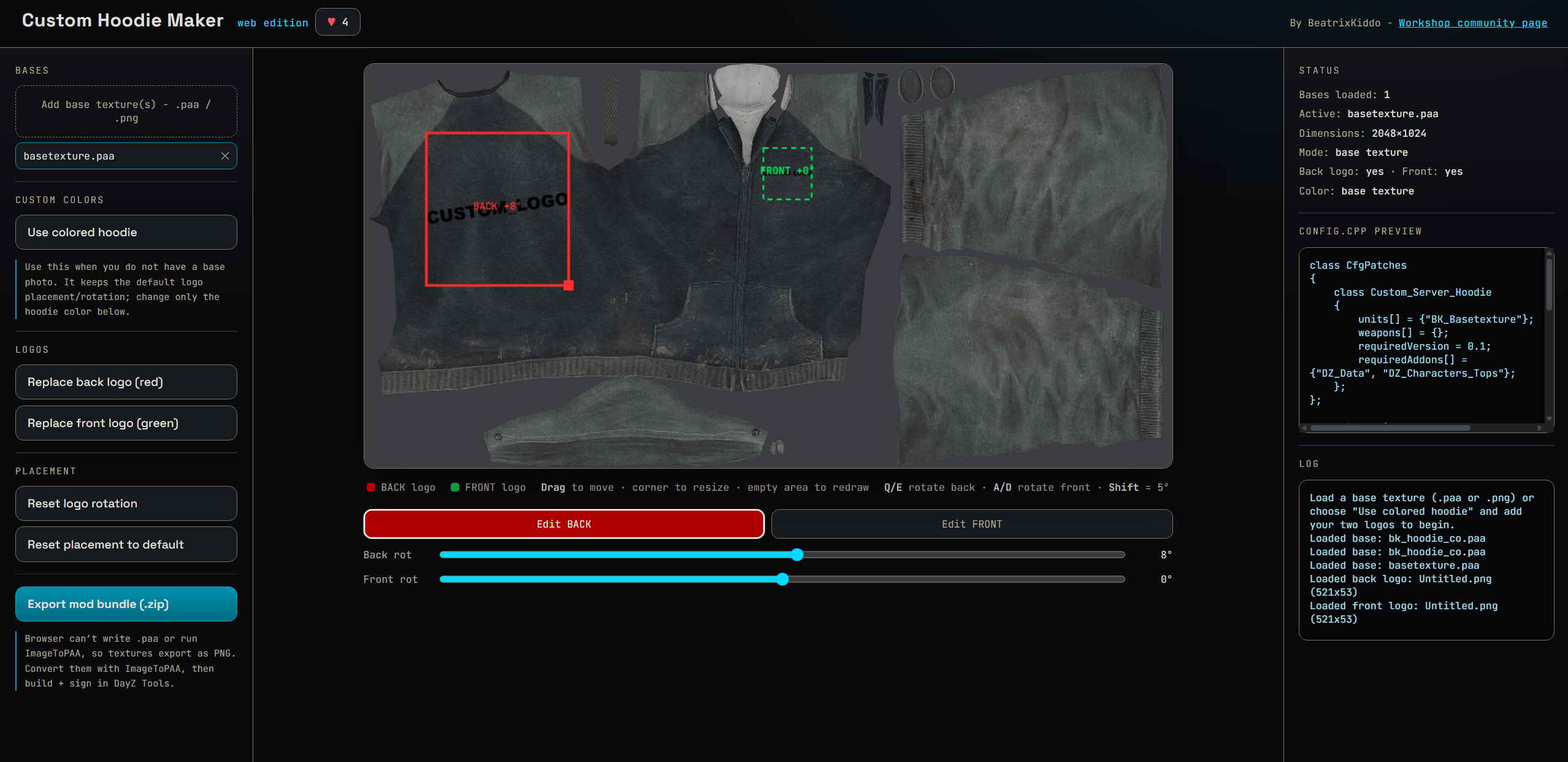
If you want to move the logos from the default, click Pick Placement + Bake All instead, then: Pick the base as your reference texture and draw: RED = back logo GREEN = front logo After both boxes are drawn: Q / E rotate BACK A / D rotate FRONT Shift + key rotate in 5 degree steps R redraw both Enter save and bake Pack the generated folder the same way as below. Pick Base To Rely On + Bake All does the same thing, but lets you choose exactly which file in your bases folder to use as the visual reference.
Color options
Click Choose Hoodie Color to keep the original base texture, pick a preset (black, charcoal, grey, white, olive, tan, brown, red, blue, green), or open the full color wheel for a custom shade. After picking, it asks whether to bake now or set placement first. Reset To Base Texture clears the color back to the original texture.
Other buttons
- Reset Saved Placement - clears the stored logo layout so you can start fresh.
- Open Mod Data Folder - the finished PAA textures and config.
- Open Output Preview Folder - PNG previews of each baked texture.
- Open Tool Folder - the tool’s root, where bases and logos live.
Packing and publishing
The tool creates the PAA texture files and config, ready for DayZ Tools. Steps: Build the folder with Addon Builder. Sign the PBOs with DS Util. Either copy the two .pbo files into your server pack and publish, or publish it as a standalone mod. For a standalone mod, build this folder structure with your two PBOs and select it as the Publisher folder: \Yourname_Custom_Hoodie_Mod \Addons Yourname_Custom_Hoodie_Mod.pbo Yourname_Custom_Hoodie_Mod.bisign \Keys BeatrixKiddo.bikey Select that folder in Publisher, upload, and you are done.
Requirements
DayZ Tools installed (used for ImageToPAA, Addon Builder, DS Util, and Publisher). Python 3. Pillow and lzokay install automatically on first run.